The SHIP Portal

The mobile portal for dcbel SHIP installers: manage survey cases, visits, documents and training from your phone.

Everything in your pocket

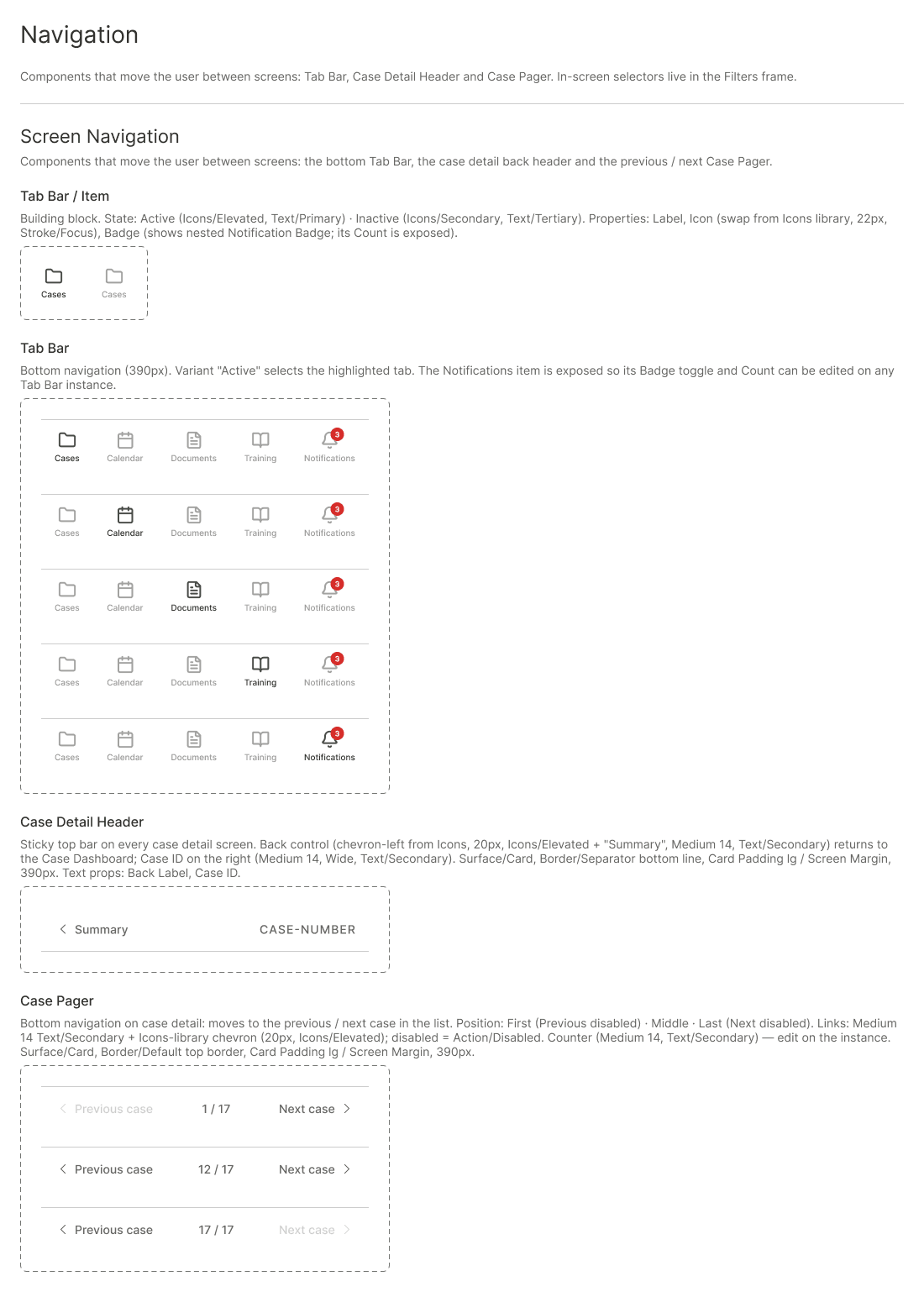
Select your ship, then move through the portal with the bottom navigation bar: Cases, Calendar, Messages, Resources and Notifications.

This screen is shown as a mockup: it is an interactive part of the SHIP mobile app, not a CMS block.

Browse cases
SHIP Portal mockup - navigation

Cases

Track every survey case from request to quote.

Calendar

See your scheduled site visits at a glance.

Messages

Talk to the dcbel team, linked to each case.

Resources

Installation documents and SHIP training.

Notifications

Be alerted when something needs your attention.

From request to quote


Receive a request

A new survey case lands in your Pending list.
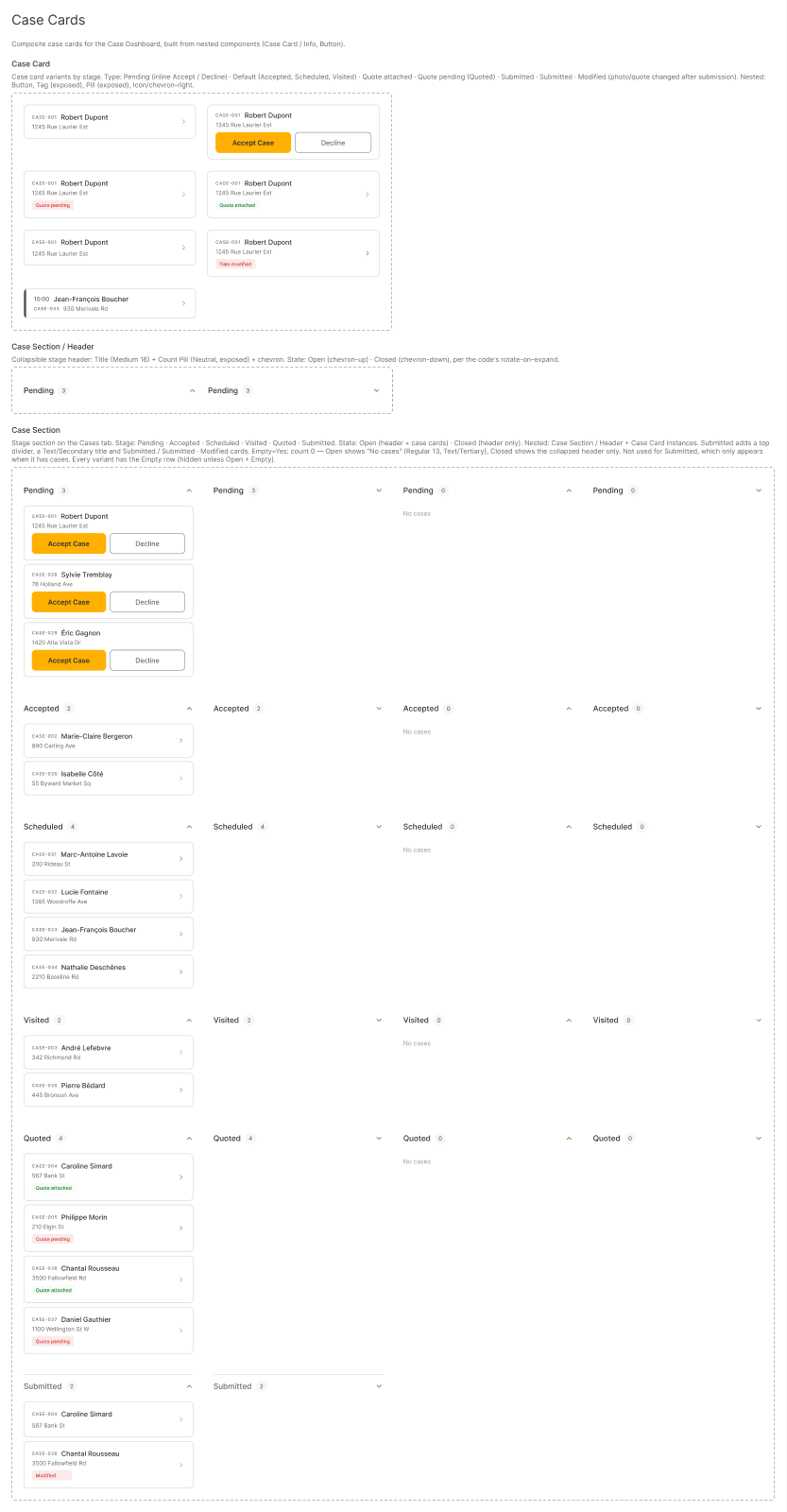
SHIP Portal mockup - case cards

Schedule the visit

Accept the case and book the site visit in your calendar.
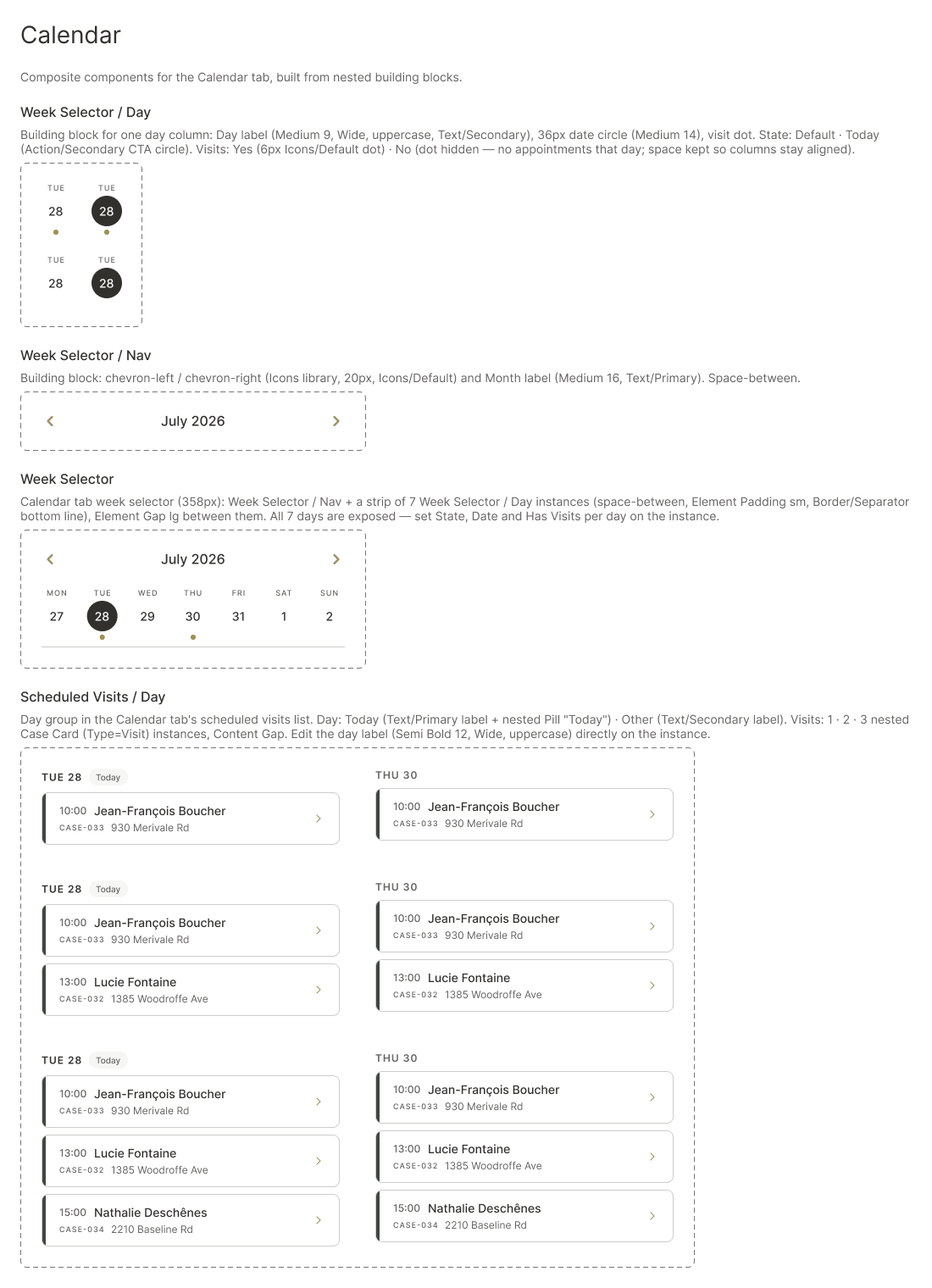
SHIP Portal mockup - calendar

Capture and attach

Add photos and notes once the visit is done.
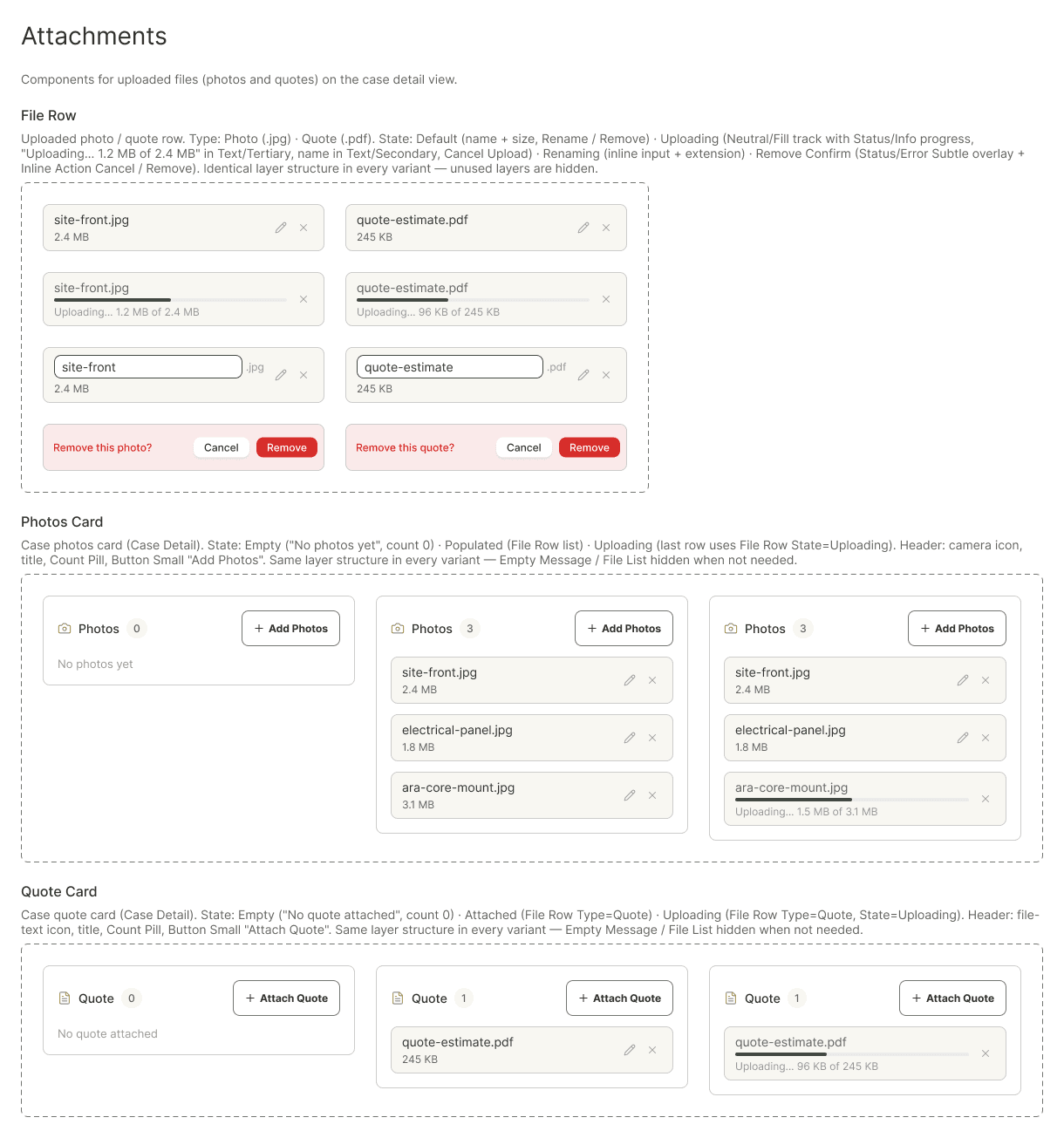
SHIP Portal mockup - attachments

Send the quote

Attach the quote and complete the case.
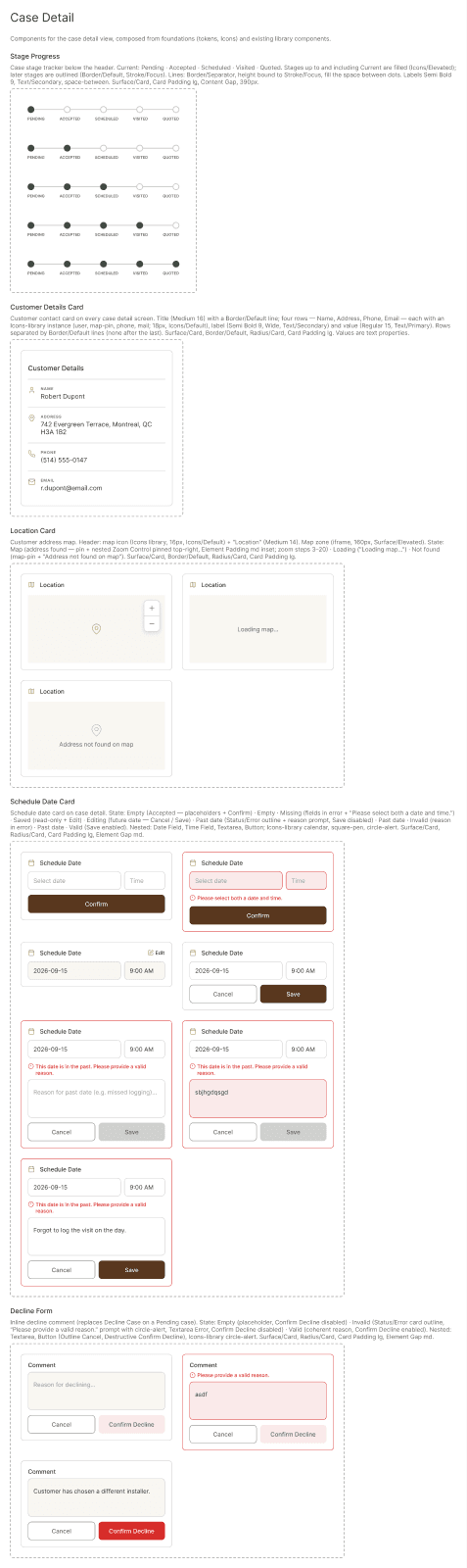
SHIP Portal mockup - case detail

Frequently asked questions

logo text darklogo text dark
HomeCasesCase detailsCalendarMessagesOverviewDocumentsTrainingNotifications
full-logo-white
HomeCasesCase detailsCalendarMessagesResourcesDocumentsTrainingNotifications

2026 dcbel. All rights reserved.