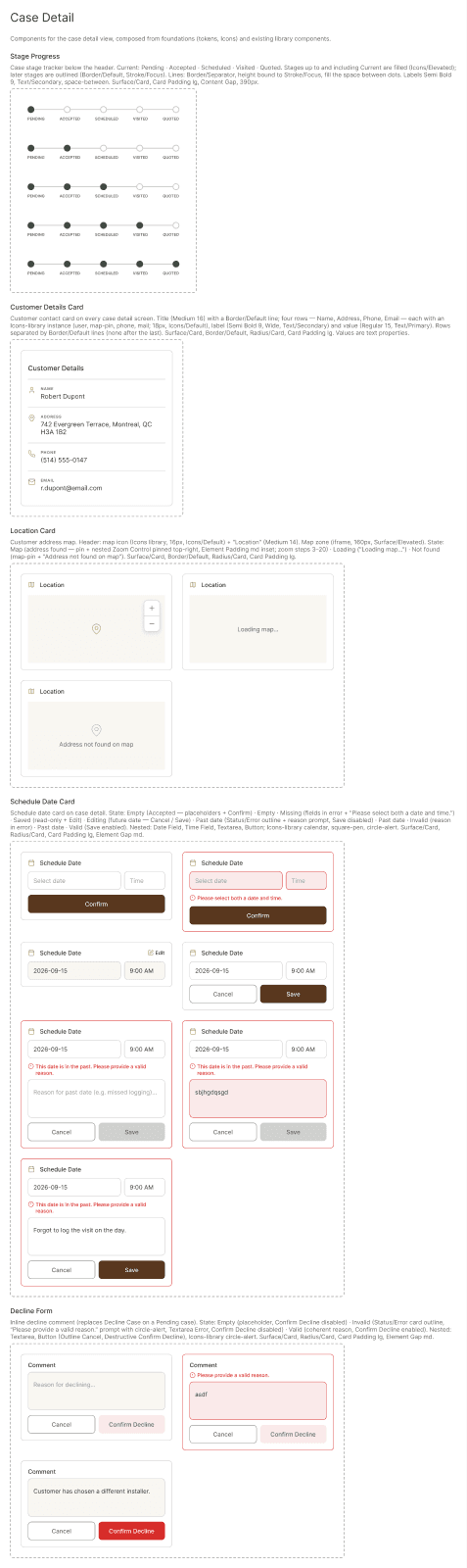
Case details
Everything about a single survey case, from request to quote.
One screen per case
The stage bar shows progress. Below it you find the customer information, the visit details and the case history.
This screen is shown as a mockup: it is an interactive part of the SHIP mobile app, not a CMS block.
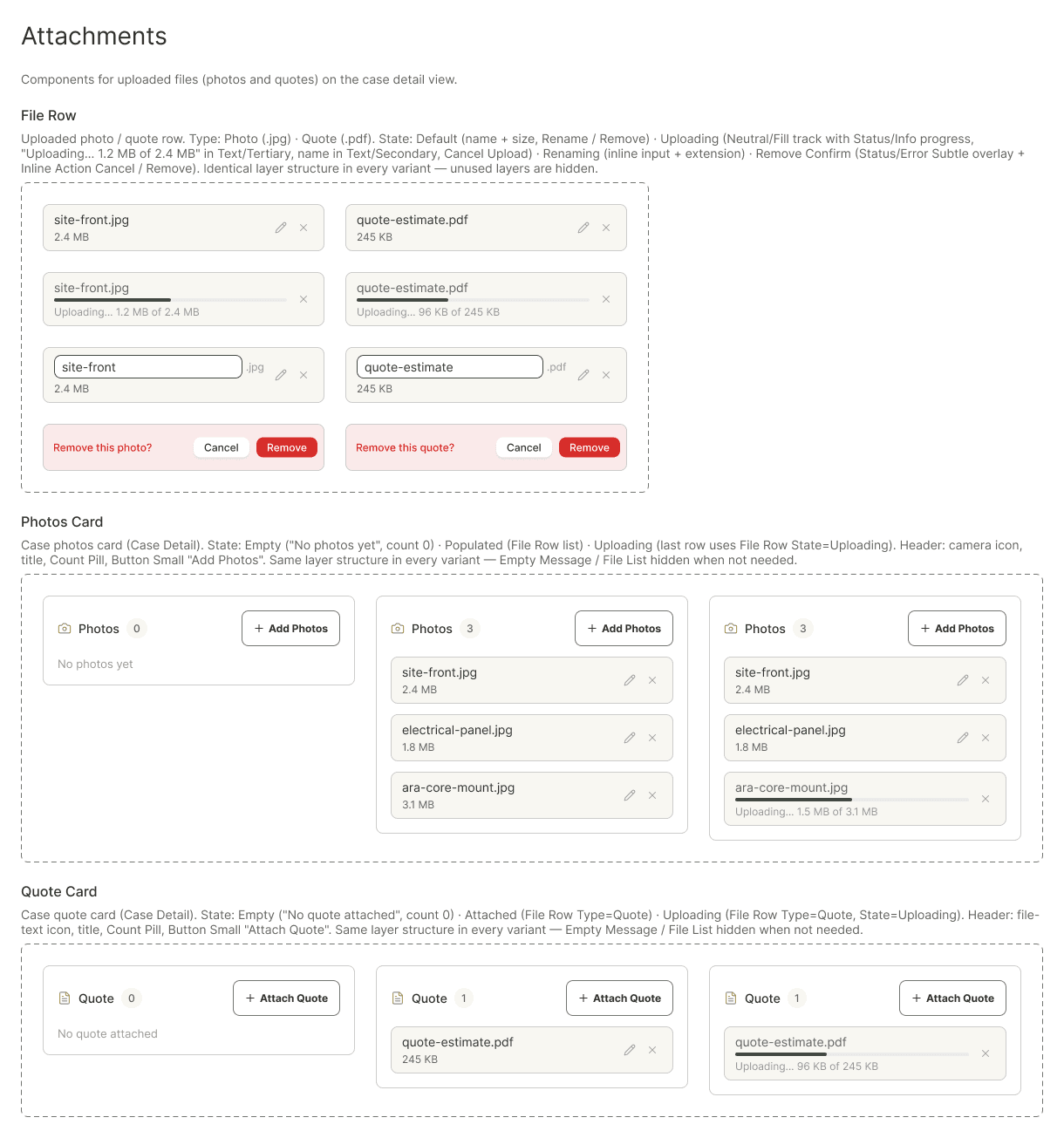
Photos and quotes
Attach site photos and the quote directly from your phone. Attachments are saved with the case.
This screen is shown as a mockup: it is an interactive part of the SHIP mobile app, not a CMS block.
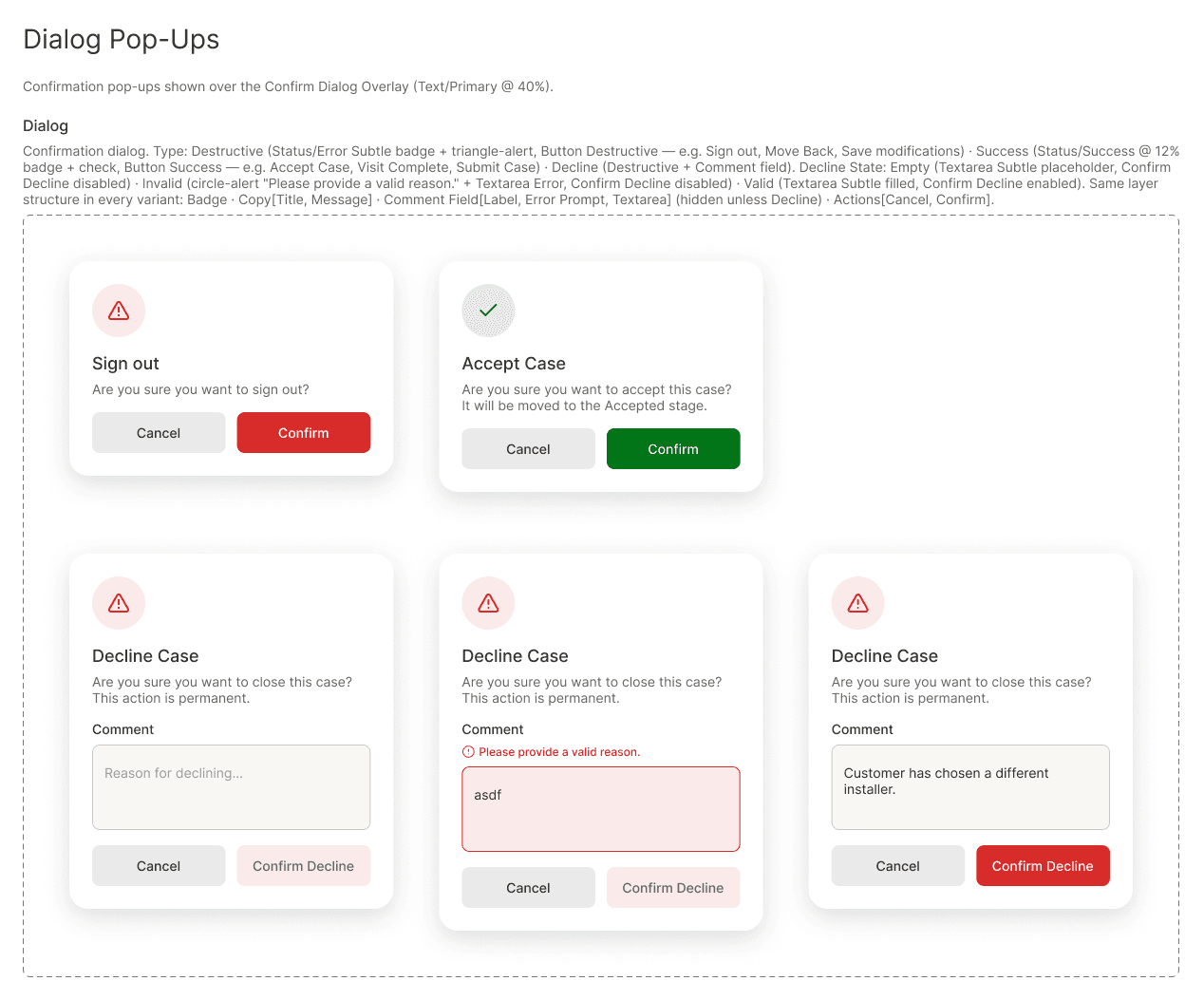
Accept or decline
Accepting or declining a request always asks for confirmation, and declining asks for a short comment.
This screen is shown as a mockup: it is an interactive part of the SHIP mobile app, not a CMS block.
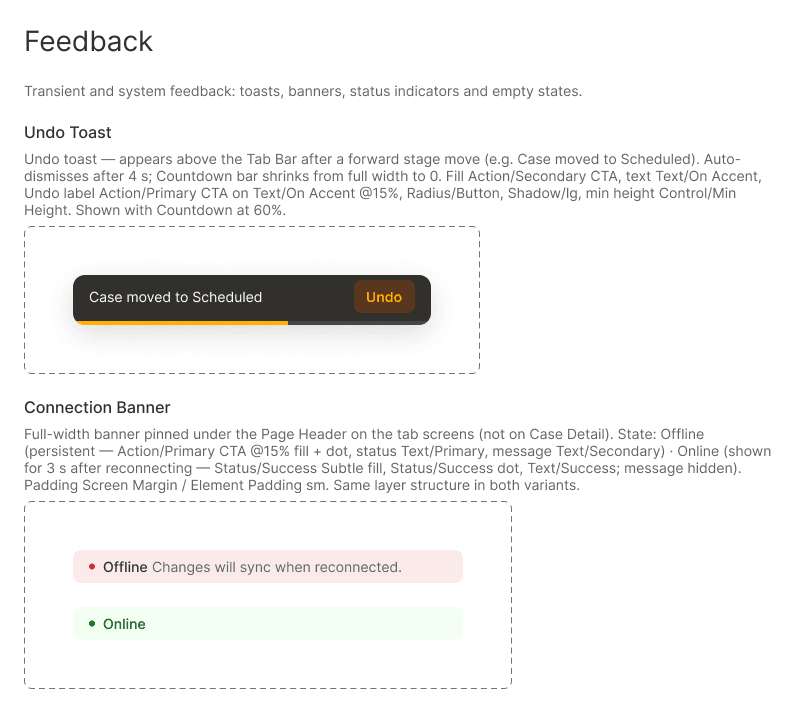
Clear feedback
Toasts confirm each action and let you undo a change right away. An indicator shows when you are offline.
This screen is shown as a mockup: it is an interactive part of the SHIP mobile app, not a CMS block.