Cases
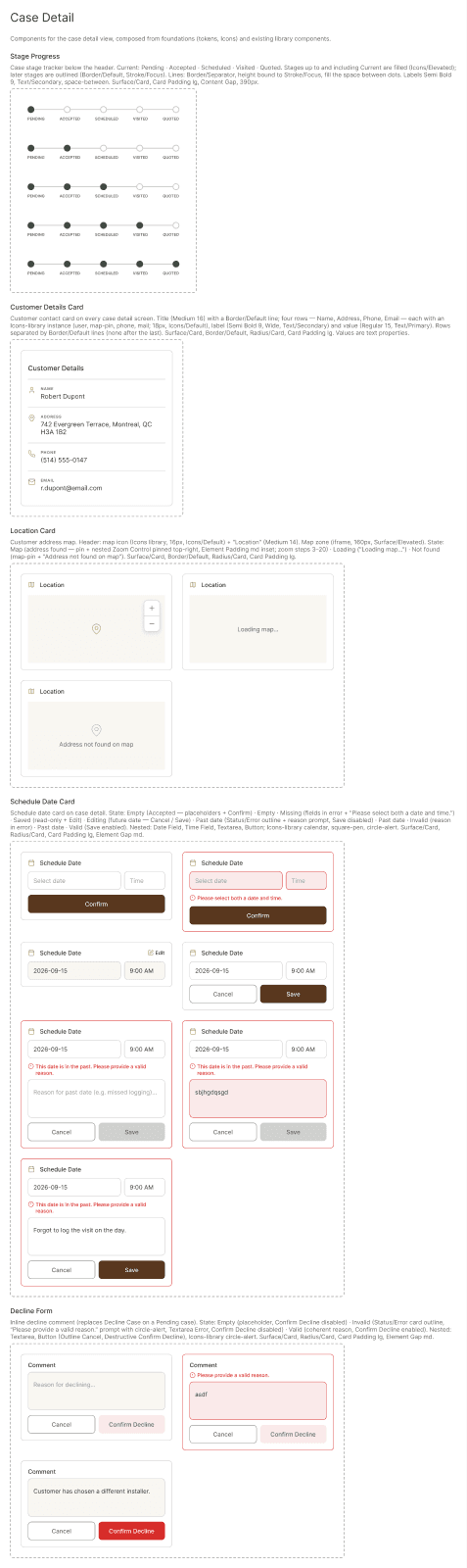
Every survey case assigned to your ship, in one place.
The case dashboard
Each card shows the customer, the address and where the case stands. Open a card for the full case details.
This screen is shown as a mockup: it is an interactive part of the SHIP mobile app, not a CMS block.
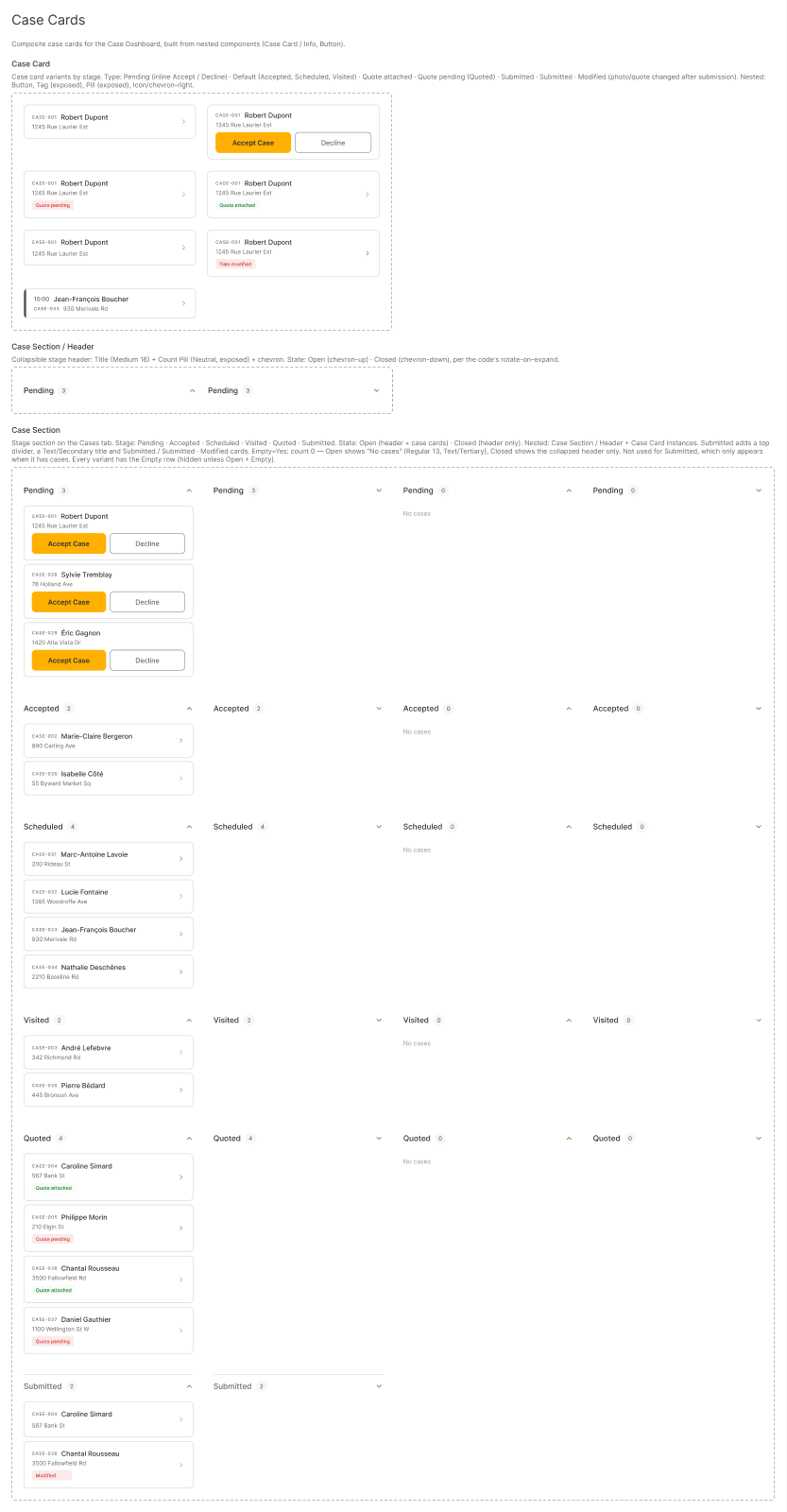
Pending
A new survey request is waiting for your response.
Accepted
You accepted the request. Next, schedule the site visit.
Scheduled
A visit date is set and appears in your calendar.
Visited
The site visit is done. Add photos and notes to the case.
Quoted
The quote is attached and the case is complete.
Find a case fast
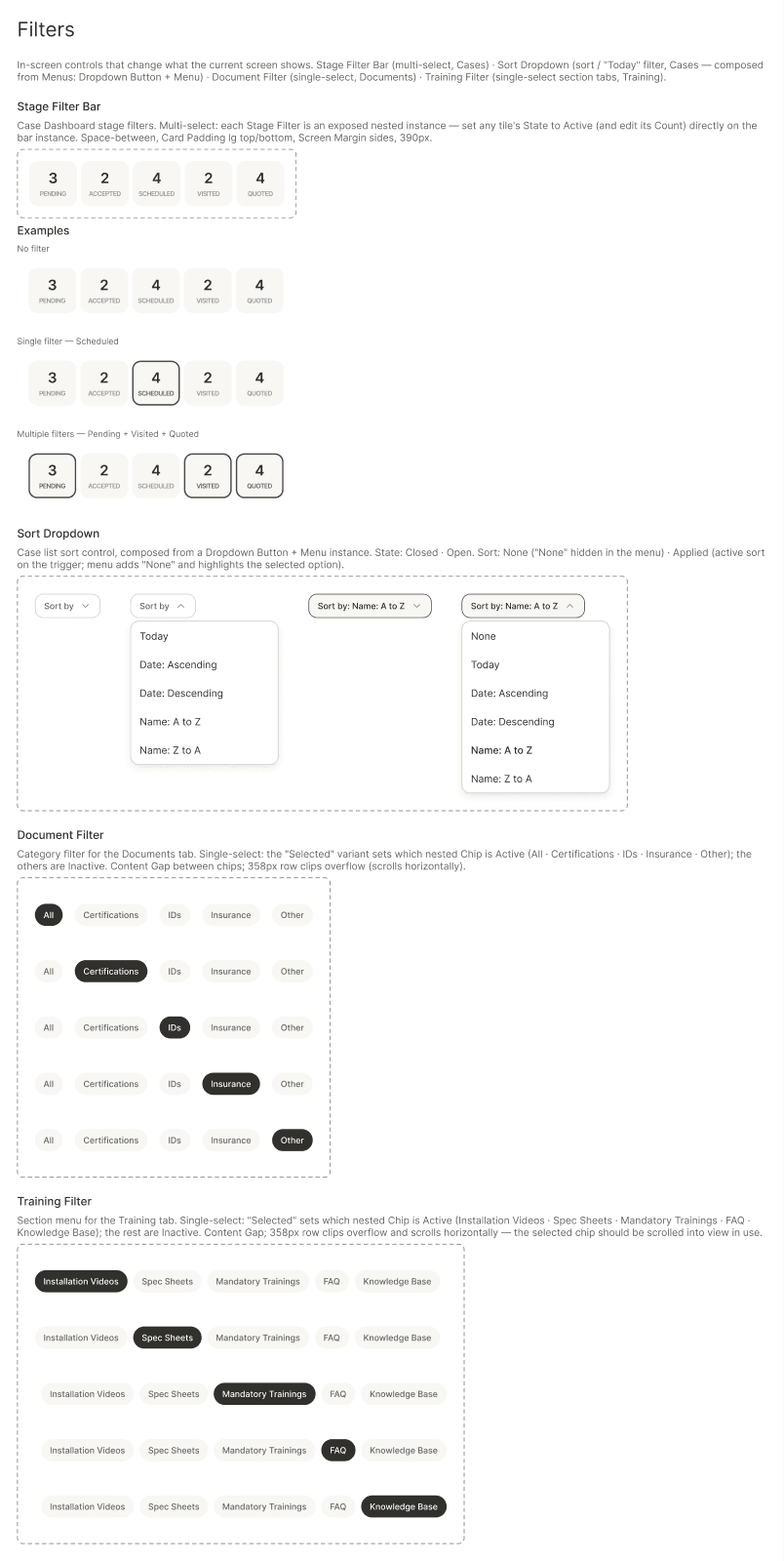
Filter your cases by stage or search by customer to jump straight to the one you need.
This screen is shown as a mockup: it is an interactive part of the SHIP mobile app, not a CMS block.
Case details
Review the customer address, follow the stage bar, and take action on the case.
This screen is shown as a mockup: it is an interactive part of the SHIP mobile app, not a CMS block.